Verify a client in one workspace — locked, logged and reproducible.
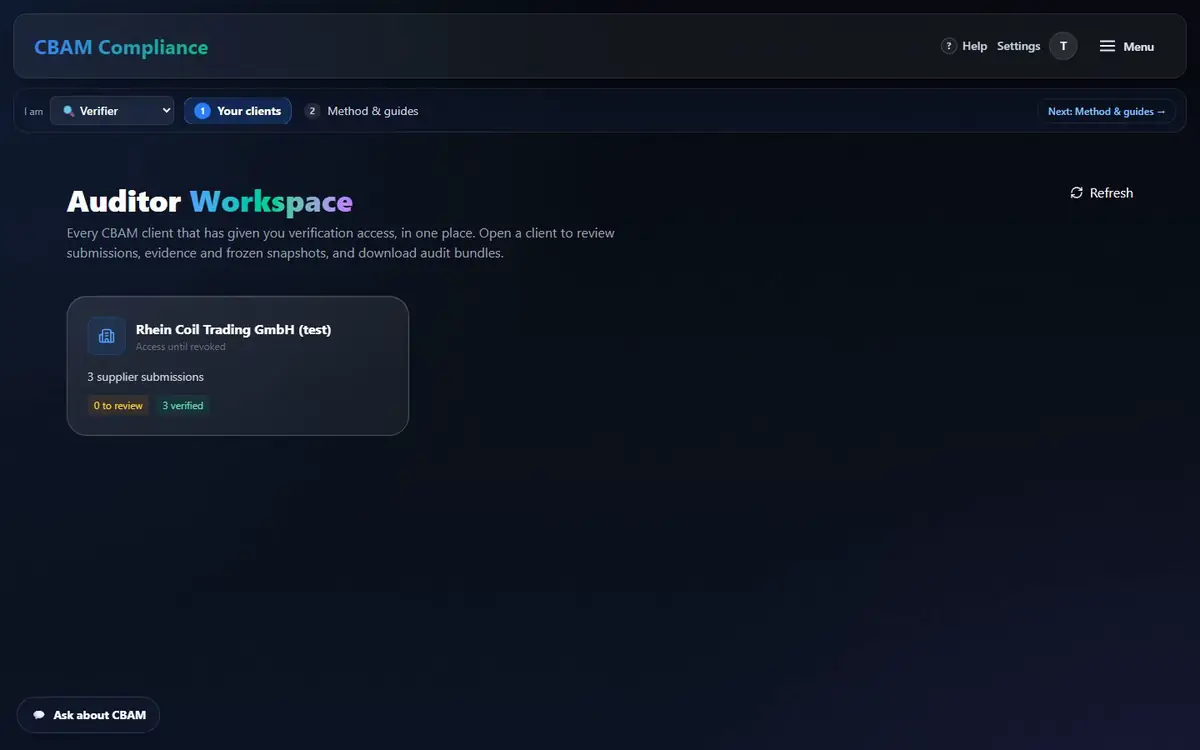
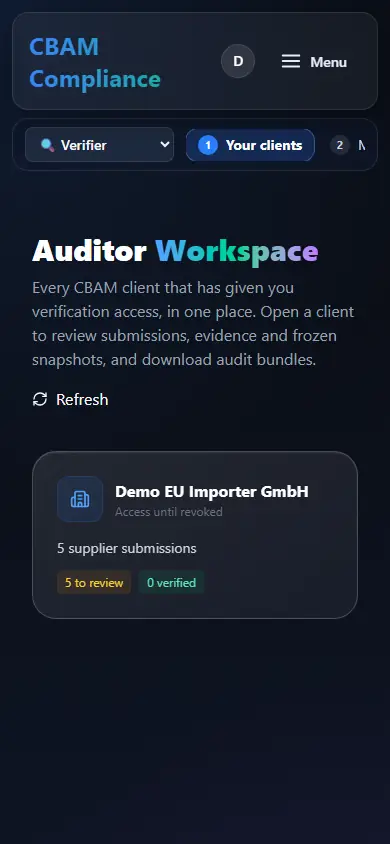
Every client who granted you access, in one place. You read their supplier submissions, the frozen plant, the evidence and its history — and the engine re-computes the figures in front of you.
1.53SEE of the test aluminium plant: verifier view = importer = supplier = engine
1 ZIPPDF · registry XML · engine data · snapshot · evidence · reproducibility check
0write paths into the client’s figures — read-only by design
Before you start
Five verifier pains — solved one by one
You must be able to stand behind your statement. These are the things that usually make that hard.
You cannot re-run the client’s spreadsheet and get the same number.
The audit bundle re-computes the frozen plant with today’s engine and states whether chargeable and total emissions reproduce.
Open a submission: figures, evidence, bundle, outcome
/auditor
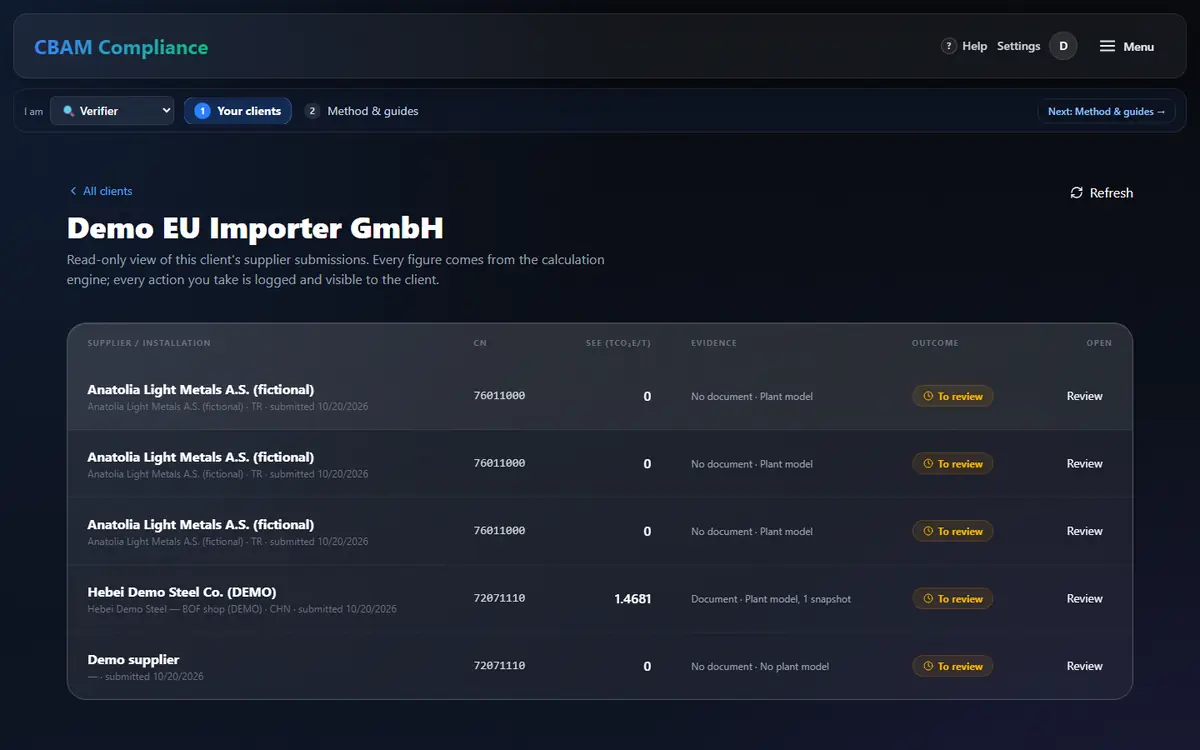
A read-only view of the client’s supplier submissions. Every figure comes from the calculation engine; every action you take is logged and visible to the client.
In the client, pick a submission and press Review / Open ….
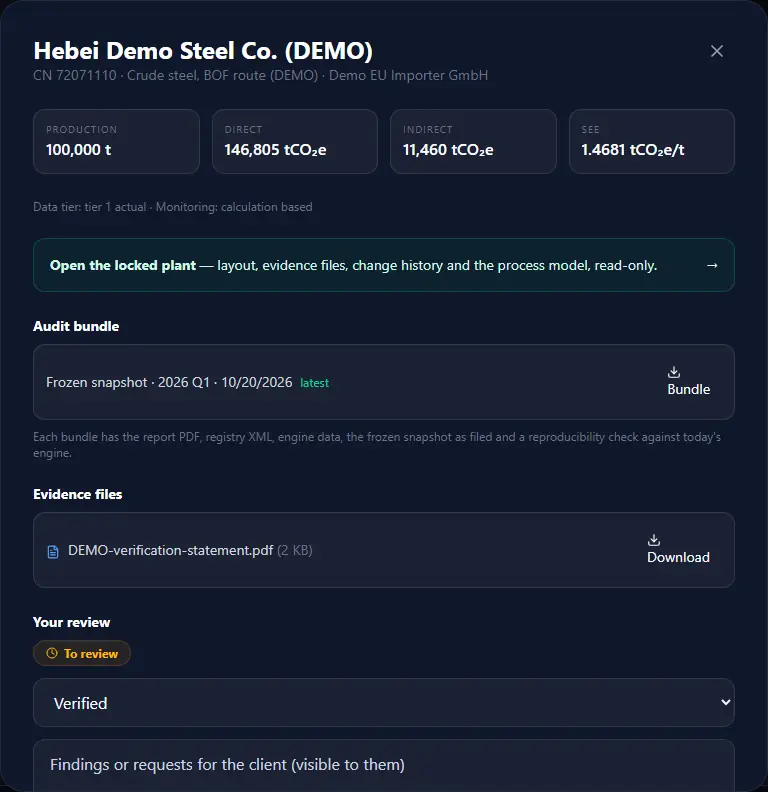
Read production, direct, indirect and SEE, the data tier and monitoring method.
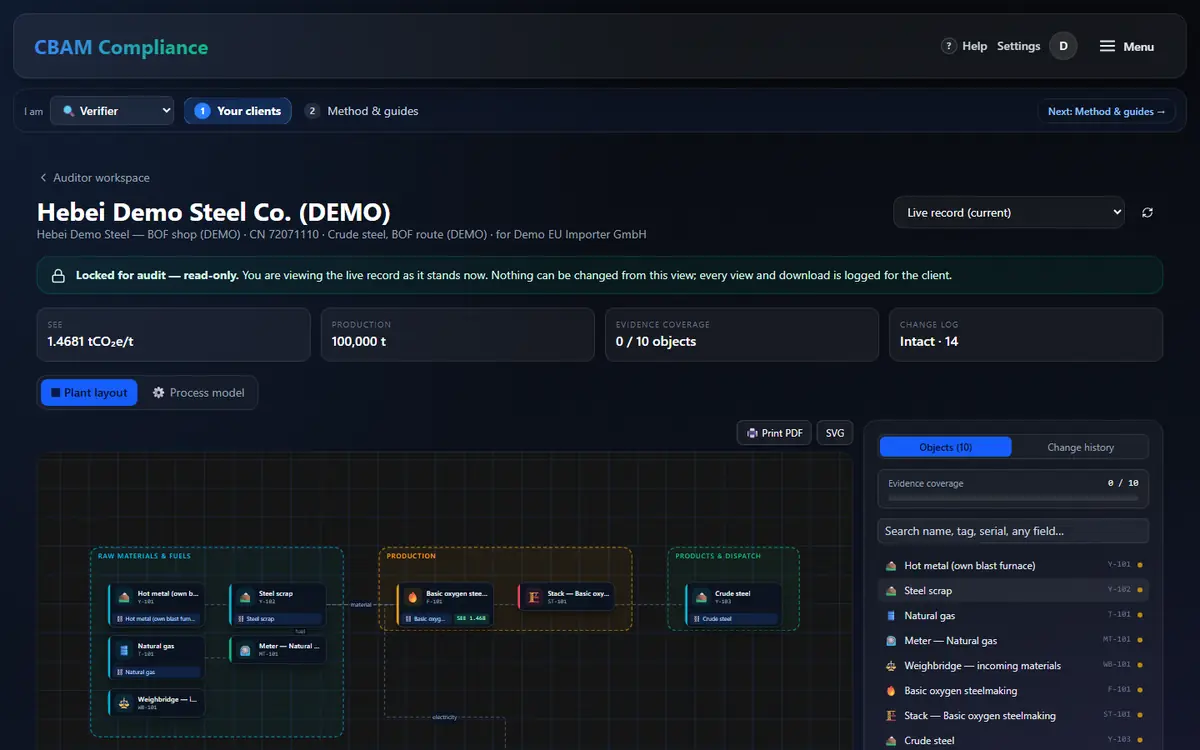
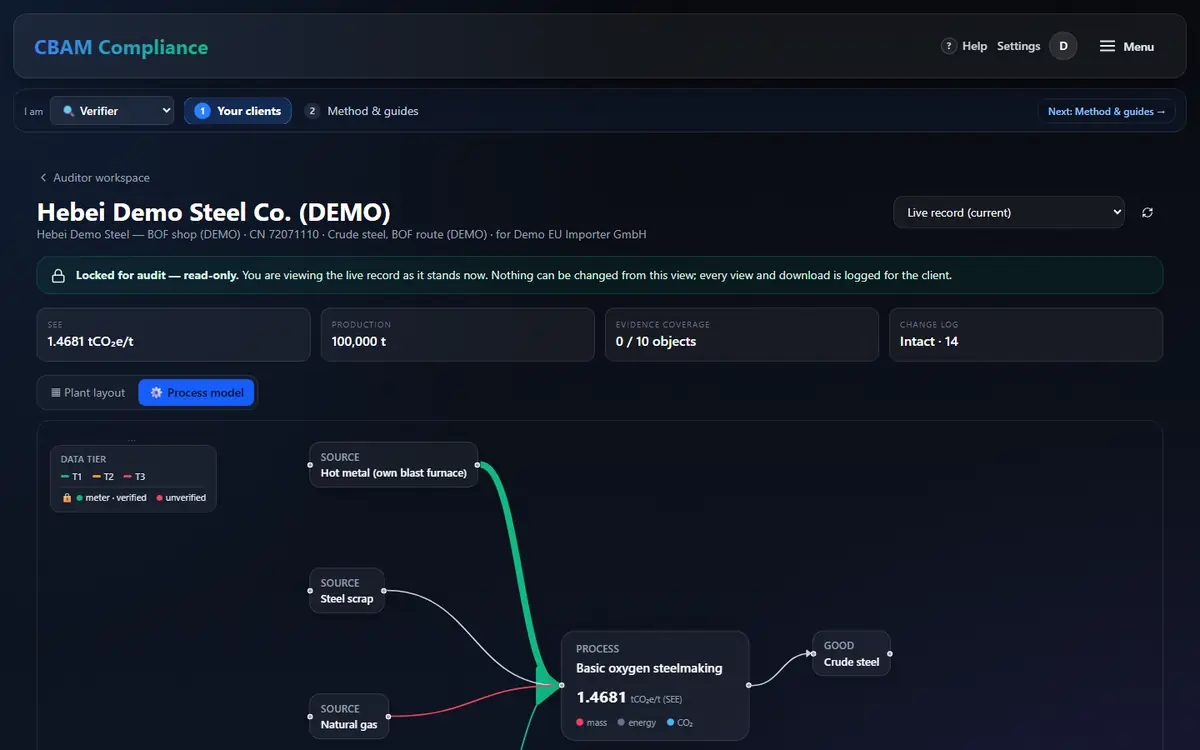
Open the locked plant — layout, evidence files, change history and the process model, read-only.
Download the Audit bundle of the frozen snapshot (Bundle); with no snapshot yet, the live model is bundled and labelled so.
Download each Evidence file. Choose the outcome — Verified, Needs revision or Rejected — add notes for the client (visible to them) and press Record outcome.
Back to “to review” returns to the queue.
Every tab, mode and control here
Submissions table
Supplier / installation, CN, SEE, evidence, outcome, Review.
Submission review (dialog)
Figures · Open the locked plant · Audit bundle · Evidence files · Review outcome (the client's remarks shown apart) → Record outcome.
Inspect the locked plant — as frozen, or as it stands now
/auditor/plant
By default you see the latest frozen snapshot; evidence and history are cut off at the snapshot time, and later layout changes are counted. Switch to the live record if you need to.
Inputs
Process
Good
Stack
The plant you review is the one the engine computed: no palette, no save, no write path — and every view is logged (plant_view).
The bundle is built from the client’s stored, frozen snapshot. Today’s engine re-computes it: chargeable and total emissions must reproduce.
Report PDF
Registry XML
Engine data
Frozen snapshot
Evidence
Bundle contents: report PDF, registry QReport XML, engine graph + balances JSON, the frozen snapshot with version pins, an evidence index, the uploaded files, the plant layout (SVG / JSON, asset register, change history) and the MANIFEST.
Everything you open is logged — for you and the client
/auditor/enterprise/verifiers
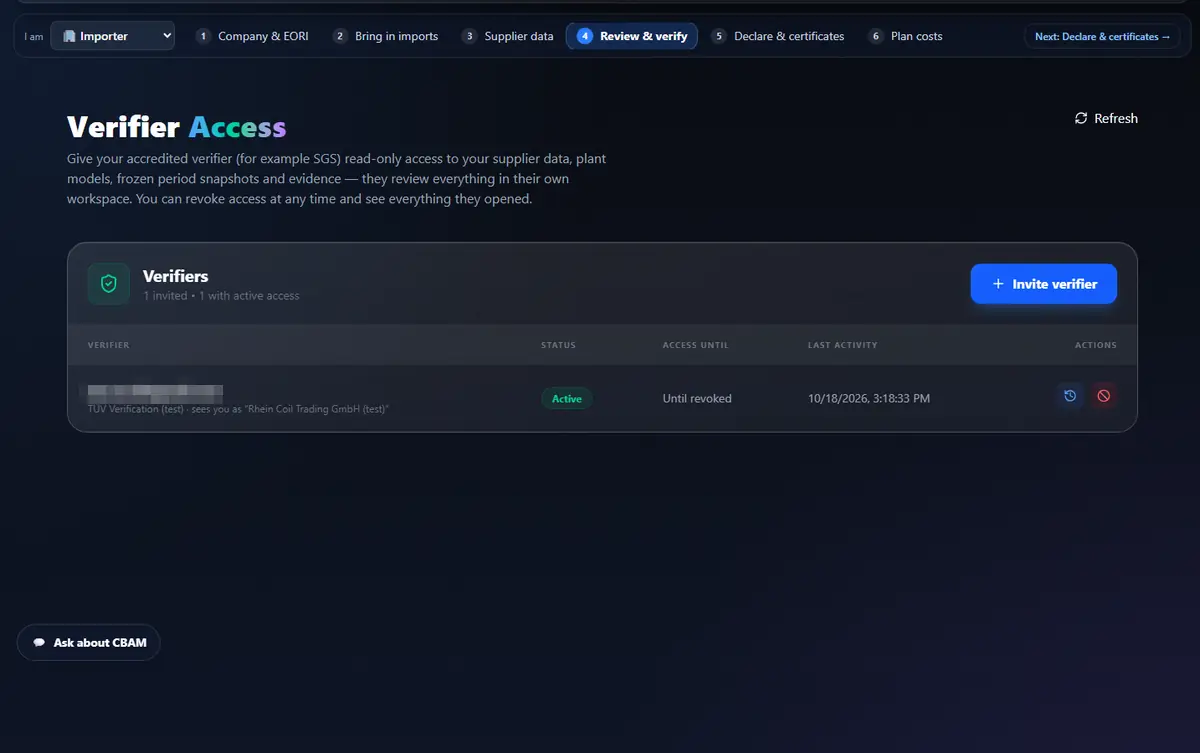
Every client read runs inside the granting client’s scope and is written to the verifier access log: workspace opens, plant views, evidence and bundle downloads, outcomes.
The client’s side: they see your last activity, open the full log and can revoke access at any time.
How the engine calculates and where every figure comes from: SEE, precursors and the system boundary, defaults and the mark-up, free allocation, Article 9 (claim-only), waste gases.
What you verify is what the engine computed — and you can prove it independently from the bundle.
Every role sees the same figure
Importer, supplier, verifier and the engine show the identical result — checked live: the Anatolia Light Metals aluminium plant is SEE 1.53 for all four. All 25 Annex I routes recompute byte-identically, in any entry order.
tests/test_reproducibility.py
Reproducible audit bundle
One ZIP: report PDF, registry XML, engine data, the frozen snapshot with version pins, evidence files and a reproducibility check — today’s engine must give the same figures from the frozen plant.
twin.build_audit_bundle · verifier_workspace.py
Tamper-evident history
Filed declaration versions and every plant-layout change are hash-chained: each entry seals the one before it, and the check names the first altered entry. A filed version is never rewritten.
A verifier sees a client only through a grant the client issued; every read and download is written to an access log the client can open, and access can be revoked at any time.
VerifierGrant · verifier_access_log
Numbers only from the engine
Every emission, certificate and euro figure is computed by one calculation engine. The AI assistant explains and guides, and is blocked from stating a figure — it routes you to the calculator.
api/app/services/cbam_engine.py · AI number guard (support_guide.py)
Geo-grounded, locked meter photos
A meter reading carries its photo, the EXIF read by the server and a 50 m geo check against the meter’s registered location. Once locked, the flow it feeds cannot change.
api/v1/meters.py · geo.py · photo_exif.py
It fails closed, never guesses
If official reference data cannot be read, the app answers “nothing was calculated” (503) instead of substituting a value. An unknown country or unit is a reported row error, never a best effort.
Default values come from the Official Journal, extracted cell by cell (plain text extraction shifts rows). Example: Türkiye grey cement 1.36 + 0.08 = 1.44 tCO₂e/t; “NA” is Namibia (0.89), never “missing”.
What we do not claim: the app prepares and validates your declaration XML — it does not file in the EU CBAM Registry for you, and it is not itself an accredited verifier or a certification. Forecast prices are assumptions, never certified figures.
Nothing missed
Coverage checklist
Every screen, tab, mode and drawer of the verifier workflow, mapped to the section that explains it — 5 screens, 16 items, 100 % covered. The same list is checked by an automated browser test against the app.